The Death of "I Never Received Your Email"
The Ghost in the Inbox: Why "I Never Received That Email" is Dead (And What to Do Instead)
We’ve all been there. You’re trying to wrap up a project, or in my case recently, process a product cancellation for a client. They ask for the cancellation, you handle it immediately at the requested time, and you send a polite confirmation email to wrap it up in a neat little bow.
Case closed, right? If only.
Fast forward to this week. I opened my inbox to find six emails in a row from this same client. It was an email chain fired off in rapid succession, fiercely arguing that they never requested the cancellation because they "never received" our confirmation email.
Now, back in 2004, this excuse might have worked. The internet was held together by dial-up tones and hope. But today? Boldly claiming you didn't receive an email when you actually did is a massive poker bluff—and technology is holding a royal flush.
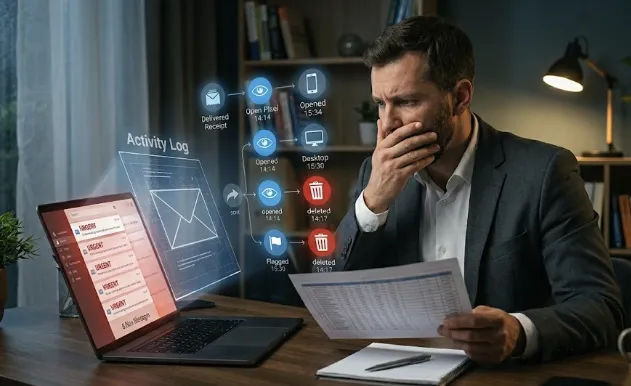
Here is the quiet truth nobody wants to admit: We don't just know it was delivered. We know it was read. And we know exactly when you threw it in the trash.
Let’s talk about why the "I never got it" defense is officially dead, and how small business owners can handle this awkward digital dance without losing their minds.
The Invisible Paper Trail
When you send an email today, you aren't just sending text into a void; you are launching a highly sophisticated tracking package.
Between CRM platforms, email marketing software, and advanced inbox tools, businesses have access to real-time telemetry. The moment an email hits an inbox, a series of digital handshakes happens:
The Delivery Receipt: Confirms the server accepted the message.
The Open Pixel: A microscopic, transparent image tells the sender exactly when, where, and on what device the email was opened.
The Activity Log: Tracks if the email was archived, flagged, or deleted.
When someone claims they "never received" something, but the dashboard shows it was opened on an iPhone at 2:14 PM and moved to the bin three minutes later... well, things get awkward. It’s the digital equivalent of hiding a cookie behind your back while your face is covered in crumbs.
Why People Lie to Inboxes (and Why It Fails)
Most of the time, this isn't malicious. It’s a defense mechanism.
Running a business or managing a busy life means wearing too many hats. People get overwhelmed. They skim an email, delete it by accident, forget they read it, or change their mind about a decision they made last week (like cancelling a product).
Instead of admitting a mistake or asking for help, the default human response is often to blame the machine. "It must have gone to spam!" or "Your system didn't send it!"
But hiding behind a technical glitch that doesn’t exist ruins the most valuable asset you have in business: credibility.
As business owners, credibility is our currency. Your reputation is built on reliability. When technology easily disproves your claim, that trust evaporates instantly.
How to Handle "Inbox Amnesia" Without Being a Jerk
When a client hits you with an email chain claiming they never got your message, it is incredibly tempting to hit back with a snarky screenshot of your tracking log.
Resist the urge.
Even though you have the data to prove you’re right, cornering a client rarely ends well. Instead, use the "Helpful Mirror" technique to resolve the issue while letting them save face.
1. Don't Argue the Delivery, Provide the Proof
Instead of saying, "Actually, our system says you read it," simply re-forward the original message with the metadata intact.
"Hi [Client Name], I see the confusion! I’ve re-forwarded the original confirmation sent on [Date] at [Time] below so you have it handy for your records."
This politely signals that the email absolutely exists in time and space, without calling them a liar.
2. Keep Your Cool (Even After Six Emails)
When someone blows up your inbox with consecutive messages, they are reacting out of panic or frustration. Don't match their chaotic energy. Be the grounded mentor. Reply calmly, clearly, and only once to address the entire chain.
3. Focus on the Resolution, Not the Blame
At the end of the day, arguing about how the communication broke down matters less than solving the actual problem. Re-verify the current status of their account, offer a clear solution, and move on.
Next Steps for Small Business Owners
If you find yourself constantly dealing with clients who "never get" your critical emails, it's time to tighten your workflow:
Upgrade Your Tech: Ensure you are using an email service or CRM that includes delivery tracking and logging so you always have the facts on your side.
Use Multi-Channel Alerts: For critical account changes (like cancellations), don't just rely on email. Send a automated SMS or an in-app notification if possible.
Set Clear Expectations: When a client requests a major change, explicitly tell them: "Look out for a confirmation email in the next 10 minutes—you'll need this for your records."
Technology has made the world incredibly transparent. Let's use that transparency to build better, more honest relationships—and maybe, just maybe, double-check our "Trash" folder before we send that angry email.