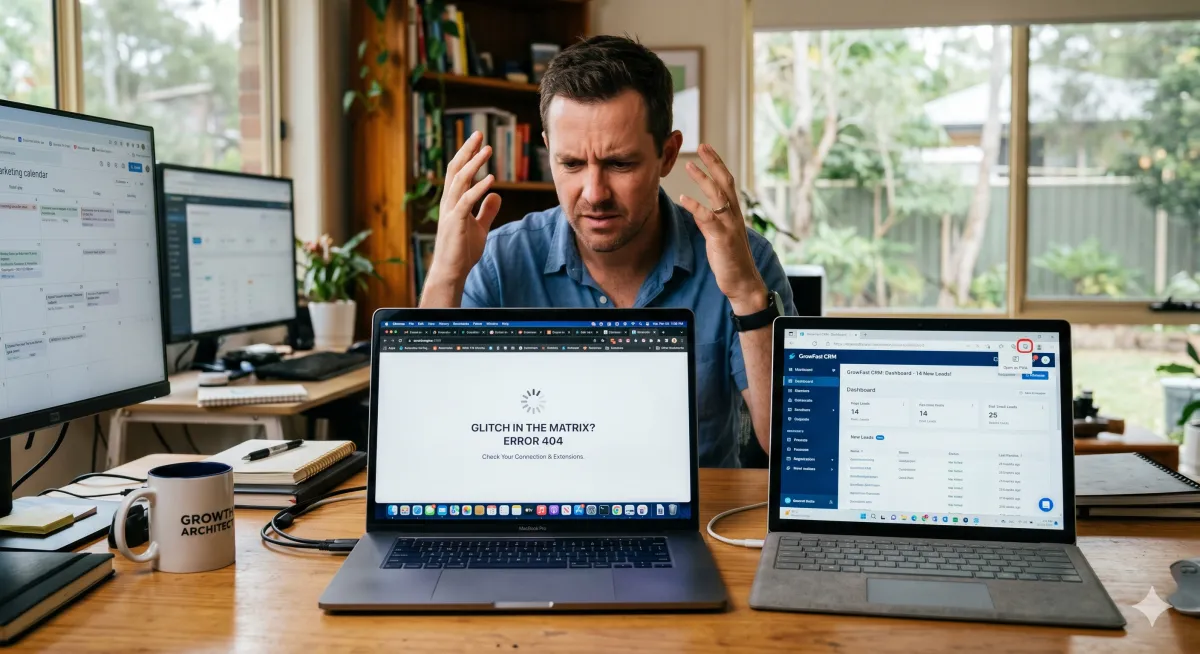
System Glitching? Why You Need a Backup Browser and PWAs
The "Glitch in the Matrix" Survival Guide: Why Your Browser is Gaslighting You
We’ve all been there. You’re mid-flow, crushing your to-do list, and suddenly your CRM decides it doesn’t recognize your login. Or maybe that essential browser extension—the one you rely on to keep your life from spiraling into chaos—stops responding.
In our current era of AI-integrated workflows and a million "productivity" browser extensions, the modern small business tech stack is starting to look like a game of Jenga. One update to a Chrome extension or a minor tweak in a website’s code, and the whole system starts glitching.
Before you throw your laptop out the window or spend three hours on hold with tech support, I have a piece of advice that sounds too simple to work. But it works 90% of the time, every time: Try another browser.
Why Your "Favorite" Browser is Failing You
We tend to be loyal to our browsers. Whether you’re a Chrome devotee or a Safari purist, that browser is your digital home. However, that "home" is currently cluttered with:
Extension Overload: AI tools and scrapers are fantastic until they start fighting each other for control over a page’s JavaScript.
Cache Fatigue: Your browser tries to be helpful by "remembering" parts of websites to make them load faster. Sometimes, it remembers an old, broken version of a site instead of the shiny new one.
Update Lag: Browser developers move fast, but web developers move faster. Sometimes a site update breaks compatibility with a specific browser version for a few hours.
The Secret Weapon: The PWA (Progressive Web App)
If switching browsers feels like too much of a leap, let me introduce you to the "Clean Room" of the internet: the Progressive Web App (PWA).
Most major platforms (like Canva, Slack, or even some CRMs) allow you to "install" them as an app on your desktop directly from your browser. Here is the magic part: PWAs typically run in a streamlined environment that ignores your browser extensions. When a website glitches because of a rogue ad-blocker or a conflicting AI extension, opening it as a PWA often bypasses the mess entirely. It gives you the reliability of a standalone app with the convenience of a website. It’s the ultimate way to stay in your "Workhorse" browser while stripping away the digital noise that causes system failures.
The "Burner Browser" Strategy
As a Small Biz Growth Architect, I recommend every business owner keeps at least two distinct browsers installed—and I’m not talking about just opening an Incognito window.
1. The Workhorse (Your Daily Driver)
This is where all your extensions live. It’s logged into your email, your Slack, and your Canva. It’s convenient, but it’s also the most likely to glitch because of all the digital "baggage" it carries.
2. The Specialist (The "Clean" Browser)
This is your backup (e.g., Firefox or Microsoft Edge). Keep this browser "naked"—no extensions, no fancy themes. When your Workhorse stalls, you jump over here. If the site works in the Specialist, you know the issue is a conflict in your Workhorse's settings or extensions.
Why "Try Another Browser" Is Your New Best Friend
Instant Diagnosis: It immediately tells you if the problem is the website or your computer. If the site is down on both browsers, you can stop troubleshooting and go grab a coffee.
Bypassing Extension Glitches: Extensions often "inject" code into pages. By switching to a clean browser or using a PWA, you remove the middleman that’s likely causing the error.
Privacy & Testing: Sometimes you need to see how your own website looks to a fresh customer. A secondary browser gives you that "first-time visitor" experience without your admin cookies messing up the view.
Key Takeaway: Don't Solve, Just Switch
The next time an online system acts up, don’t dive into the settings menu. Don’t clear your entire history (and lose all your saved passwords in the process).
Just open your backup browser or try the PWA version. It’s the digital equivalent of "unplugging it and plugging it back in," and in 2026, it remains the most effective productivity hack in the book.
Next Steps for the Growth-Minded Pro:
Download a Backup: If you use Chrome, download Firefox or Edge today.
Install your top 3 PWAs: Go to your most-used sites and look for the "install" icon in the address bar to create a clean, extension-free workspace.
Bookmark This Tip: The next time a "glitch" happens, your first instinct should be a browser hop, not a breakdown.